
Audio patchbay: order, routing and signal quality
At first, studio cabling is almost always simple.
A preamplifier feeds the interface, the outputs go to the monitors, and any outboard is connected when needed. As long as the setup remains small and stable, working directly on the rear panels of the equipment does not create any particular difficulty.
Then the system grows.
A second preamp, a compressor, an equalizer or a stereo processor is added. The same hardware is used during tracking and mixing. Some interface inputs need to receive different sources. At that point, the problem is no longer having enough cables.
The problem is changing the signal path without wasting time, creating errors or giving up on using outboard because connecting it has become inconvenient.
That is when a patchbay starts to make sense.
When routing becomes a bottleneck
In many studios, the available hardware is used less than it could be.
Not because there are no applications for it. More simply, every change in the signal chain requires reaching the rear of the rack, finding the correct connector and rebuilding the signal path.
If the operation takes too long, the quickest solution is often chosen. The compressor remains permanently connected to the same preamp. The equalizer is left out of the session. An external insert is avoided because it requires moving cables and remembering which interface inputs are free.
A patchbay brings the most frequently used connections to an accessible position. This reduces the time between a technical decision and putting it into practice.
The advantage is most apparent in workflow continuity: routing becomes easier to read, errors are reduced and the rear connectors of the equipment are subjected to less frequent plugging and unplugging.
The hardware does not gain new functions. It simply becomes much easier to use the functions it already has.
Why audio patchbay quality matters
Saying that a patchbay should not color the signal does not mean that its quality is irrelevant.
On the contrary, its role requires precision.
Every connection adds mechanical contacts, cabling and points that must maintain continuity over time. If connectors, solder joints or terminations are poor, the patchbay can become the weak point in a chain made up of higher-grade preamplifiers, converters and processors.
Problems do not necessarily appear as an obvious change in sound. They can show up as intermittent contacts, crackles, intermittent channels or connections that react when a cable is moved.
A professional solution should provide much more predictable behavior: secure connections, a stable signal path and reliability after repeated use.
Transparency, in this case, is not the absence of quality. It is the result expected from construction that does not compromise the work done by the rest of the signal chain.
Design the signal path first, then choose the patchbay
Buying a patchbay and deciding how to use it afterwards often leads to a panel full of connections but without a genuinely useful logic behind it.
It is better to start with a map of the studio.
For each piece of equipment, identify the inputs and outputs actually used, the signal level, the type of connection and how often that path is changed.
This analysis quickly separates the system into two groups.
The first includes connections that remain almost always fixed: some monitoring connections, permanent digital paths or lines that do not need to be changed during normal work.
The second includes what changes often: preamplifier outputs, outboard inputs and outputs, interface sends and returns, stereo processors and shared sources.
These are the paths that benefit most from front-panel access.
There is no need to bring every connector in the studio to the patchbay. Increasing the number of options without a real need makes the system harder to read. Good routing is not routing that lets you do everything. It is routing that makes genuinely recurring operations immediate.
One compressor, three different signal paths
Imagine a mono compressor used in a hybrid studio.
During a recording session, it can be inserted after the preamplifier:
microphone -> preamp -> compressor -> interface
In another session, it may not be needed and the preamp can feed the interface directly.
During mixing, the same compressor can become an external insert:
interface output -> compressor -> interface input
Without a patchbay, these three uses require working on the rear of the rack. With well-organized front-panel routing, changing the signal path becomes immediate and easier to verify.
There is also a less obvious consequence. When connections are accessible and documented, the setup no longer depends only on the memory of the person who wired it. A colleague or external technician can understand the signal flow more quickly and make changes without reconstructing the entire system.
In a professional studio, that is also part of reliability.
A patchbay does not correct wrong levels or connections
Making a connection more convenient does not automatically make it correct.
A microphone signal, a line output and an instrument-level signal have different characteristics. The same applies to balanced and unbalanced connections.
When a signal leaves the interface to reach an external processor, it must arrive at an input suitable for line level. The return must feed the correct input, avoiding unnecessary preamplification stages.
The balanced connection should also be maintained throughout the signal path. Using a balanced cable is not enough if part of the chain or the termination is not consistent with it.
A patchbay makes routing visible, but it does not replace proper gain-staging and signal-flow design.
Microphone paths carrying phantom power also require particular care. It should not be assumed that every patchbay or cabling scheme can handle them in the same way.
Before use, check the documentation for the specific model and the connected equipment. When changing the signal path, the cautious procedure remains to switch phantom power off, mute monitoring and allow the charge to discharge before connecting or disconnecting.
Convenience must not reduce operational care.
Labels and documentation are part of the system
A patchbay without clear labeling solves only half the problem.
Generic labels such as "IN 1" or "OUT A" become ambiguous after a few months. It is better to describe the function directly: preamp output, compressor input, interface output, stereo processor return.
When there is not enough space on the panel, an external map is useful.
It does not need to be complex. Position, source, usual destination, signal type and any precautions are enough. The important thing is to update it whenever the cabling changes.
The same principle applies to the rear of the rack. Cables that are too short put strain on the connectors; cables that are excessively long create bundles that are difficult to trace. Labels at both ends and reusable fastening systems make future checks easier.
Cabling should not be invisible. It should be understandable.
Teknosign's approach to the PBA family
Teknosign treats the patchbay as part of the studio infrastructure, not as a secondary accessory.
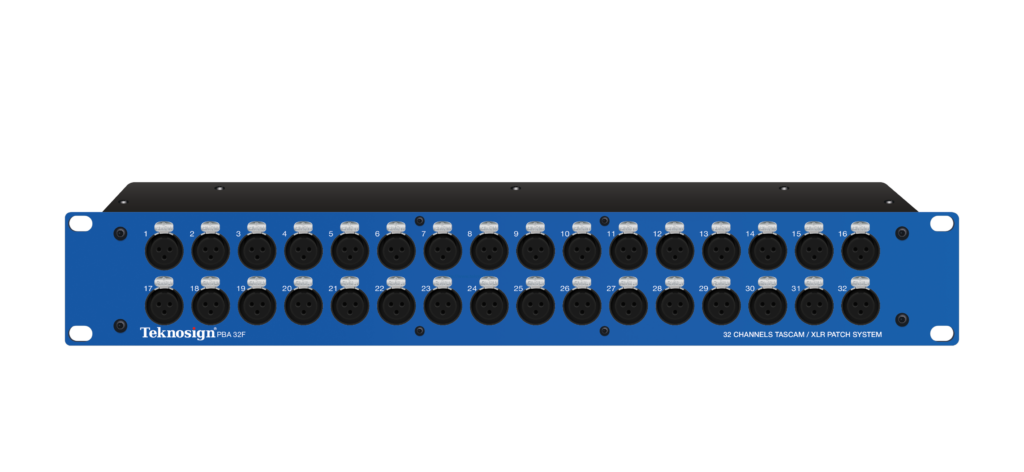
The PBA family uses balanced connections and configurations designed to bring the inputs or outputs that need to be reached most often to the front panel, while keeping the paths to interfaces, converters and other equipment neatly organized at the rear.
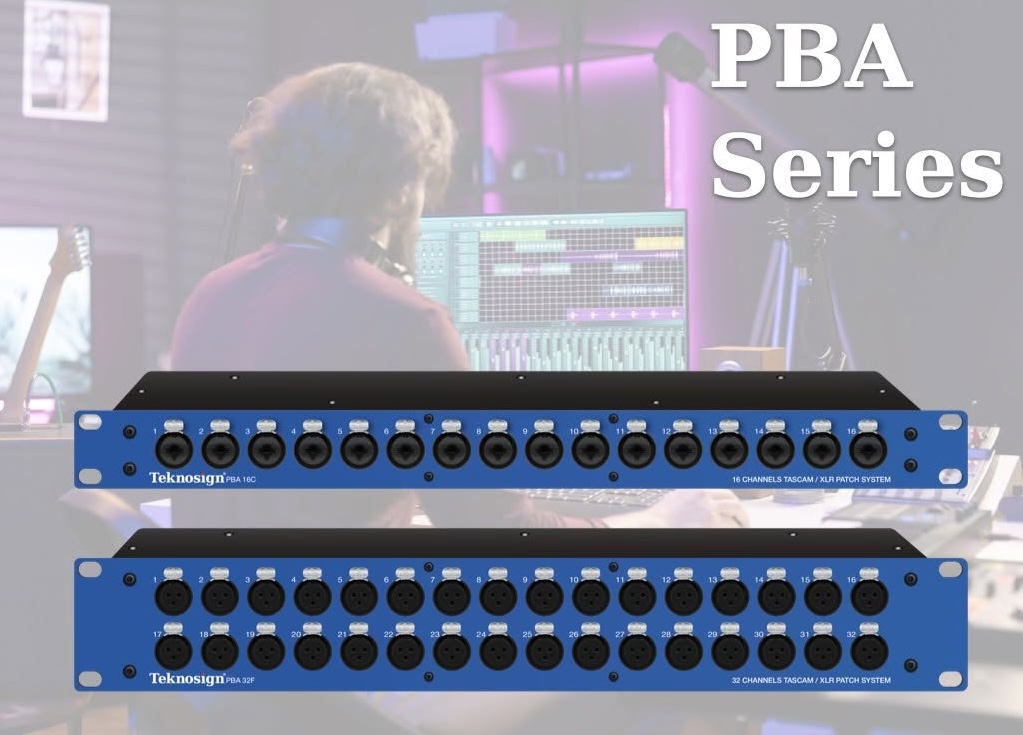
Solid construction and professional connections address a practical requirement: maintaining secure connections and reliable routing even when the system is used every day.
The aim is not to promise coloration or a sonic improvement added by the patchbay. The objective is more substantial: to prevent the point designed to simplify the workflow from also becoming the least reliable point in the signal chain.
The different configurations in the range also make it possible to choose the layout according to the I/O actually present in the studio, rather than buying a generic solution and adapting it with unnecessarily complex connections.
Teknosign's more direct commercial supply chain also helps maintain a competitive price relative to the technical and build quality offered, without presenting the PBA as a budget product or simply as a lower-cost alternative.
When is it time to add one to the rack?
There is no precise number of devices beyond which a patchbay becomes mandatory.
The most useful indicator is time lost.
When reaching the rear of the rack has become routine, the same processor is moved between several chains, or some hardware remains unused because connecting it is inconvenient, routing has started to limit the workflow.
In a small, stable setup, a patchbay may be premature. In a studio that changes configuration between tracking, mixing and external processing, it can become one of the most frequently used items in the rack.
Before choosing, count the inputs and outputs you want to make accessible. Separate fixed connections from variable ones and allow only a realistic margin for future growth.
A well-designed patchbay tends to disappear during the work. Not because it is irrelevant, but because it does its job without creating new problems.
Routing becomes faster, the hardware is available when needed and the connections remain easy to understand over time.
That is what turns a collection of equipment into a working system.
Does your studio routing require constant recabling or make the available outboard difficult to use?
Explore the Teknosign Patch Bay and compare the different PBA configurations. To identify the most suitable solution, prepare a map of the inputs, outputs and signal paths you use most often.
Read also:
First analog setup for a home studio: where to start
How to identify the first real bottleneck among recording, routing, monitoring and power.
Preamplifier and gain staging: before the converter
How to manage the first gain stage and build a more consistent signal path into conversion.
Teknosign PBA Patch Bay
Balanced configurations designed to make the most frequently used I/O easily accessible and to organize connections between interfaces, converters, and outboard gear.