
Preamplifier and gain staging: before the converter
A recording can sound noisy, harsh or difficult to work with even when the microphone, interface and DAW are all of a good standard. Often, the problem doesn’t arise in the mix. It arises earlier, in the way the signal is routed from the microphone to the converter.
The preamplifier and gain staging determine the operating level, the available headroom and the signal-to-noise ratio before the track is digitised.
The aim is not to record as loudly as possible. It is to deliver a stable, usable signal to the converter, without overloading the analogue stages and without unnecessarily operating close to the digital threshold.
Preamp and gain staging: what happens before the converter
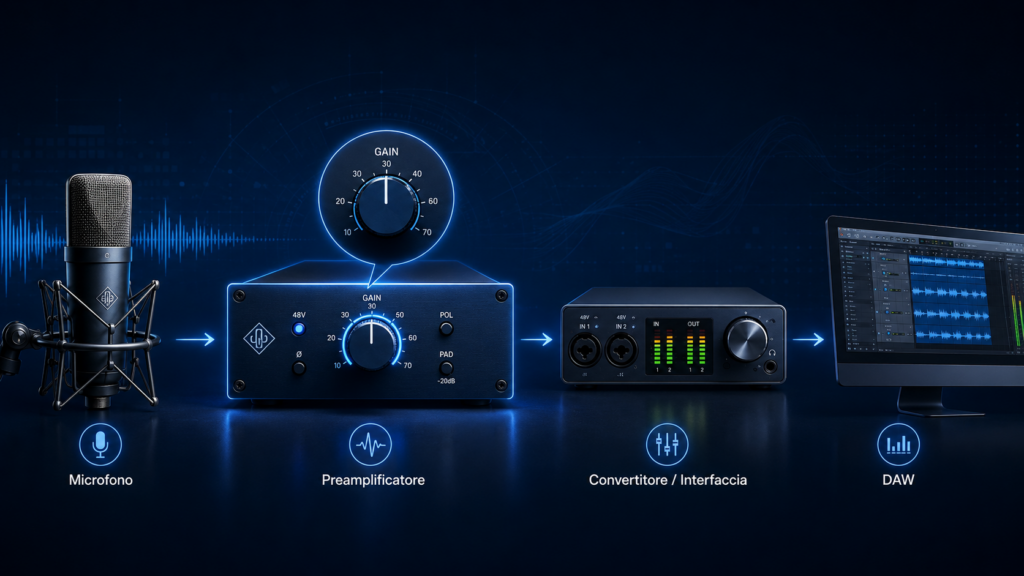
The signal generated by a microphone is much weaker than a standard line signal. The microphone preamplifier is responsible for boosting it to a level suitable for the next stage.
The A/D converter comes into play afterwards. It converts the analogue signal into digital data, but cannot correct what has already happened upstream.
If the preamp is overloaded, distortion will be introduced into the recording. If the level is too low relative to the noise in the signal chain, boosting it later in the DAW will make both the signal and the noise that has already been captured more prominent.
The preamp is not the only factor determining the quality of the track. The microphone, source, environment, distance, cabling and converter all play a part too. However, it remains the first active stage in which the level is established.
Recording louder does not mean recording better
One of the most common mistakes is to increase the gain until the peaks get as close as possible to 0 dBFS.
In the digital domain, 0 dBFS represents the upper limit. It is not a level to be reached, but a threshold that must not be exceeded.
Getting too close to that limit does not automatically add detail or quality. Instead, it reduces the headroom available for unexpected transients, variations in performance and passages that are more energetic than the initial take.
A voice, an acoustic guitar, a snare drum or a piano can produce peaks significantly higher than the average level. Correct gain staging must therefore take into account the actual dynamics of the performance, not just the value observed during a few seconds of soundcheck.
There is no single numerical level that applies to every source and every converter. Rather, a margin is needed that is consistent with the performance, the signal chain and the type of recording.
Too little gain and too much gain: two different problems
When the gain is too low
A small waveform does not automatically indicate a poor recording. In modern systems, there is often sufficient headroom to work without utilising the entire digital range.
The problem arises when the useful signal remains too close to the noise from the source, the environment, the microphone, the preamp or the conversion stage.
Increasing the level in the DAW does not improve this ratio. It boosts both what you want to hear and what you would have preferred not to record.
Before adding a lot of gain, however, it is also worth checking the rest of the recording
When the gain is too high
If the gain is too high, you can overload the preamp circuit, the preamp’s output stage or the converter’s input.
These overloads are not necessarily visible at the same point. The DAW’s meter shows the level after conversion, but it does not always allow you to tell which preceding stage has started to distort.
A track may therefore remain below 0 dBFS and still sound harsh, compressed or distorted if the preamp or another analogue stage has been pushed beyond its limit.
This is why gain staging cannot be managed by looking at a single meter. It must be considered as a complete process.
A practical method for setting the gain
Before adjusting the preamp, set up the actual recording situation. Position the microphone, set the distance and ask the performer to rehearse the most intense part of the performance.
Rehearsing at a low volume can easily lead to setting the gain too high. When the actual performance becomes more energetic, the headroom may disappear.
Start with a conservative level and gradually increase the gain. Aim for a clear, stable signal with sufficient headroom above the noise floor, without pushing the peaks unnecessarily close to the limit.
If the preamp has a main gain control and a fine-tuning control, use the former to reach the correct range and the latter to fine-tune the level.
Next, record a short test track and listen to it. Check for noise, transients, harshness, dynamic range and any distortion. Spending just a few minutes on this stage can save you much more time later on in editing, noise reduction and subsequent corrections.
How to connect an external preamp correctly
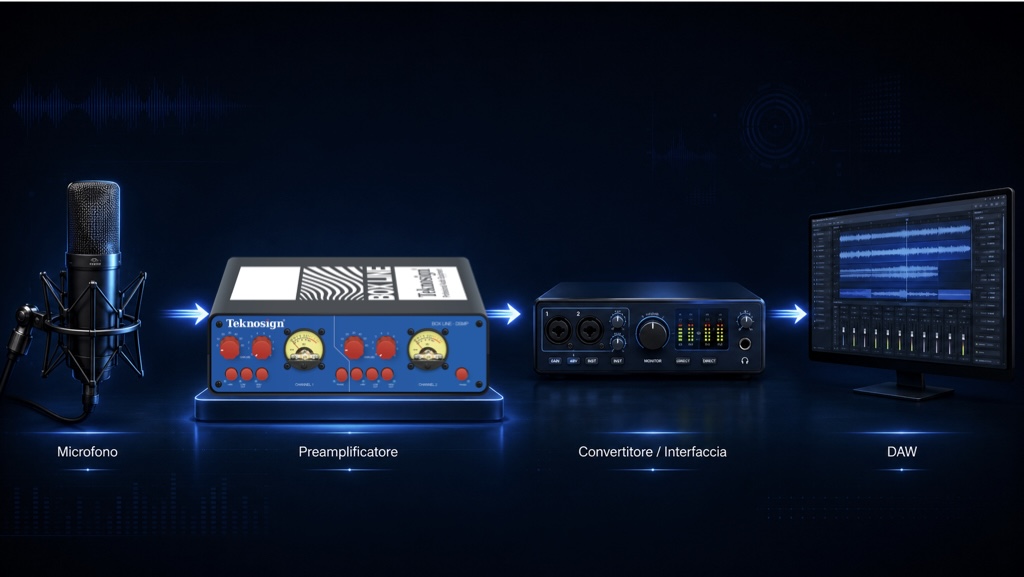
When using an external preamp, its output should be connected to a line input on your interface or converter.
Connecting it to a second microphone input may introduce another stage of pre-amplification. The result is a less predictable gain structure, with less headroom and a higher risk of overloading.
Not all interfaces handle line inputs in the same way. In some models, the signal effectively bypasses the internal preamp. In others, part of the circuit remains in the signal path.
It is therefore advisable to consult the interface manual and check the line/mic setting, any pad, nominal level and software controls.
The principle is simple: the external preamp must provide the necessary gain. The subsequent stage must receive the signal without adding any further, unwanted amplification.
Transparency and character are distinct from gain level
Gain staging determines how the signal passes through the signal chain. The character of the preamp, on the other hand, concerns the way in which the circuit modifies – or seeks not to modify – the source.
Some preamplifiers are chosen precisely for their recognisable tonal character. Others prioritise linearity and transparency. Neither approach is automatically superior: it depends on the result you wish to achieve.
It is important, however, not to confuse the two decisions. Pushing a circuit to achieve a certain character is a creative choice. Unintentionally overloading it due to incorrect gain staging is a technical problem.
When the aim is to preserve the character of the microphone and the performance, a linear signal path and precise gain control help you make more informed decisions right from the recording stage.
When the preamp isn’t the priority just yet
A new preamp doesn’t automatically solve every recording problem.
If the microphone is poorly positioned, the environment is noisy, the cable is faulty or the signal is weak and poorly controlled, it is best to address these issues first.
The same applies when a line output is connected to the wrong input or when phantom power is applied without checking the microphone’s requirements.
A preamplifier becomes a sensible investment when the real limiting factors relate to the quality of the first gain stage, noise, headroom, precision of adjustment, number of channels or repeatability of the setup.
SSMP and DSMP: two configurations for different workflows
Teknosign’s preamplification employs a linear, transformerless solid-state design, aimed at preserving the source’s character and offering precise level control.
SSMP is the mono model in the Box Line. It is designed for a single microphone source: vocals, acoustic guitar, overheads, spot recordings or a dedicated signal chain that needs to remain compact.
DSMP offers two channels in the Box Line Double. It is best suited to overheads and stereo room mics, piano, ensembles, microphone pairs or sessions where two consistent and easily recallable channels are required.
Both offer a total gain range of 0 to 69 dB. The Gross control adjusts in 10 dB steps, whilst the Fine control allows adjustments in 1 dB steps.
This design allows you to quickly achieve the required level and then fine-tune it with greater precision. It also makes it easier to recall settings across different sessions.
Both offer 48 V phantom power and a low-cut filter. The DSMP adds a high-cut filter and dedicated VU metres for the two channels, providing more detailed control when the workflow requires a stereo or dual-mono configuration.
The choice therefore does not depend on a hierarchy of quality between the two models. It depends on the number of sources, the type of recording and the level of control required.
Added to this is the fact that they are designed and manufactured in Italy, alongside a more direct supply chain that bypasses traditional distributors. This structure enables Teknosign to maintain a competitive price relative to the level of design and build quality offered, without making price the sole criterion for choice.
Before choosing a converter, you decide how easy it will be to work with the signal afterwards
Correct gain staging does not turn a mediocre source into an excellent one, nor does it replace a good microphone, a suitable environment or skilful recording technique.
However, it does one essential thing: it delivers a usable signal to the converter, with noise under control and sufficient headroom for the actual dynamic range.
The mix thus starts with clearer source material. The need to correct avoidable problems is reduced, and it becomes easier to distinguish creative choices from technical fixes.
The rule of thumb is not to aim for the highest level. It is to find the correct level for that source, in that signal chain, and during that specific performance.

In conclusion, the preamplifier and gain staging are not merely preliminary steps. They are part of the recording process.
The preamp brings the microphone signal up to an operational level. Gain staging ensures a consistent signal path all the way to the converter, avoiding both a signal that is too close to the noise floor and a level that unnecessarily reduces headroom.
Working methodically means monitoring the actual performance, leaving headroom for transients, checking each stage and correctly connecting the preamp to the line input.
It’s less showy work than mixing, but it’s often what makes the track cleaner, more stable and easier to work with.
Find out more about Teknosign preamplifiers
| Compare the SSMP and DSMP in the Teknosign shop and choose the number of channels and operating controls that best suit your recording workflow. Discover the SSMP | Discover the DSMP |